Construction Set Software
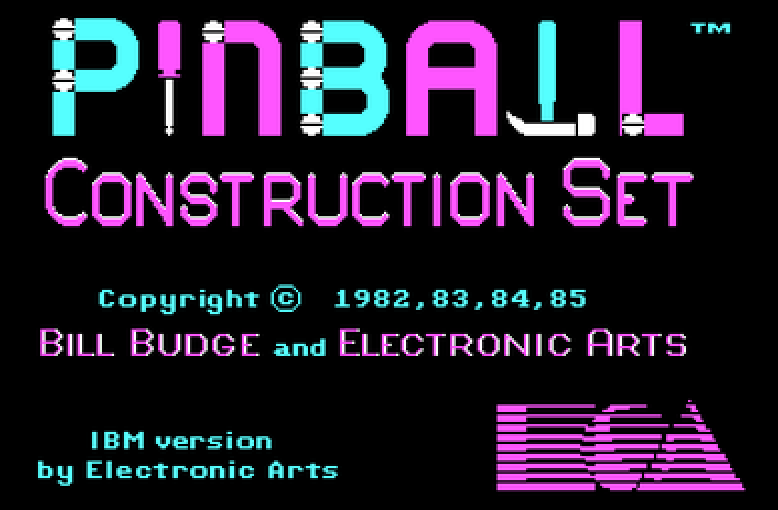
When I was a kid in the 80s I spent way too many hours playing a game called Pinball Construction Set. The screen was split in two. On the left, a blank pinball table. On the right, a bin of parts: flippers, bumpers, spinners, drop targets, lane guides. You dragged parts onto the table, messed with the gravity and the kick strength, wired up the scoring, and hit play. If you wanted to, you could even save your table to a floppy disk and take it to a friend’s house.
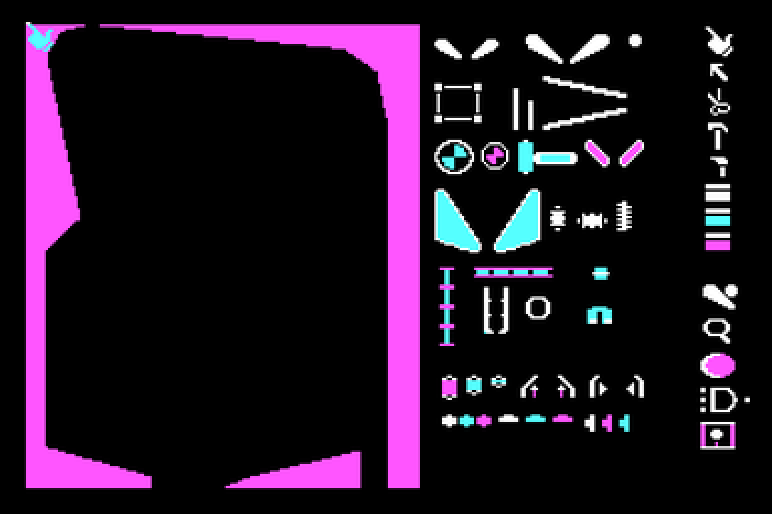
Here’s what I didn’t appreciate at the time: the game had decided what was its job and what was mine. The physics were the game’s problem, not mine. I never had to make a ball bounce right, and I never got to make it bounce wrong (even if I tried). I just arranged the parts however I wanted to.
Issue trackers today give you two deals. Deal one is the opinionated tool: here’s our process, we’ve thought hard about it, please don’t touch it. Deal two is the enterprise tracker: workflow schemes, screen schemes, permission schemes, notification schemes, something like 500 configuration screens, and people whose whole job is configuring them. Every team works a little differently, and both deals are answers to how much of that difference the tool should handle. One says almost none. The other says all of it, if a human is willing to click through every form.
Config screens didn’t fail because configuration is bad. They failed because the only way in was a person clicking through forms and trying to understand how to configure every detail. Every setting needed its own screen. Pretty soon an admin is the only person who knows why the workflow works the way it does.
So vendors picked their poison: cap the settings and call it opinionated, or ship all of them and call it enterprise.
Agents change the math. An agent talking to your tracker over MCP doesn’t care how many settings there are. It never looks at a screen. You just tell it how you work: we triage on Mondays, bugs skip estimation, anything from a customer gets flagged and answered within two days, etc. It sets that up from the parts bin, and can ask you questions while it does: what should happen when a bug comes in mid-sprint? Is anything actually enforcing that two-day window right now? When your process changes, you tell it and it moves the parts around. Nobody opens an admin panel. Your agent is your admin.
None of this works unless the parts are solid. Pinball Construction Set let you crank the gravity way up, but the ball still obeyed whatever physics you set, on every table anybody built. Same idea here: whatever the agent sets up, history is preserved, links don’t break, permissions hold, the audit trail survives. The parts guarantee the things that always have to be true, so the arrangement can be whatever you want. That’s the difference between a construction set and a pile of APIs.
There’s one more tempting path, which is building the tracker yourself. Code is cheap now. While I was writing this post I asked gpt-5.6-sol to build me my own Pinball Construction Set, and one prompt later I had Pinforge: parts drawer on the left, playable table in the middle.
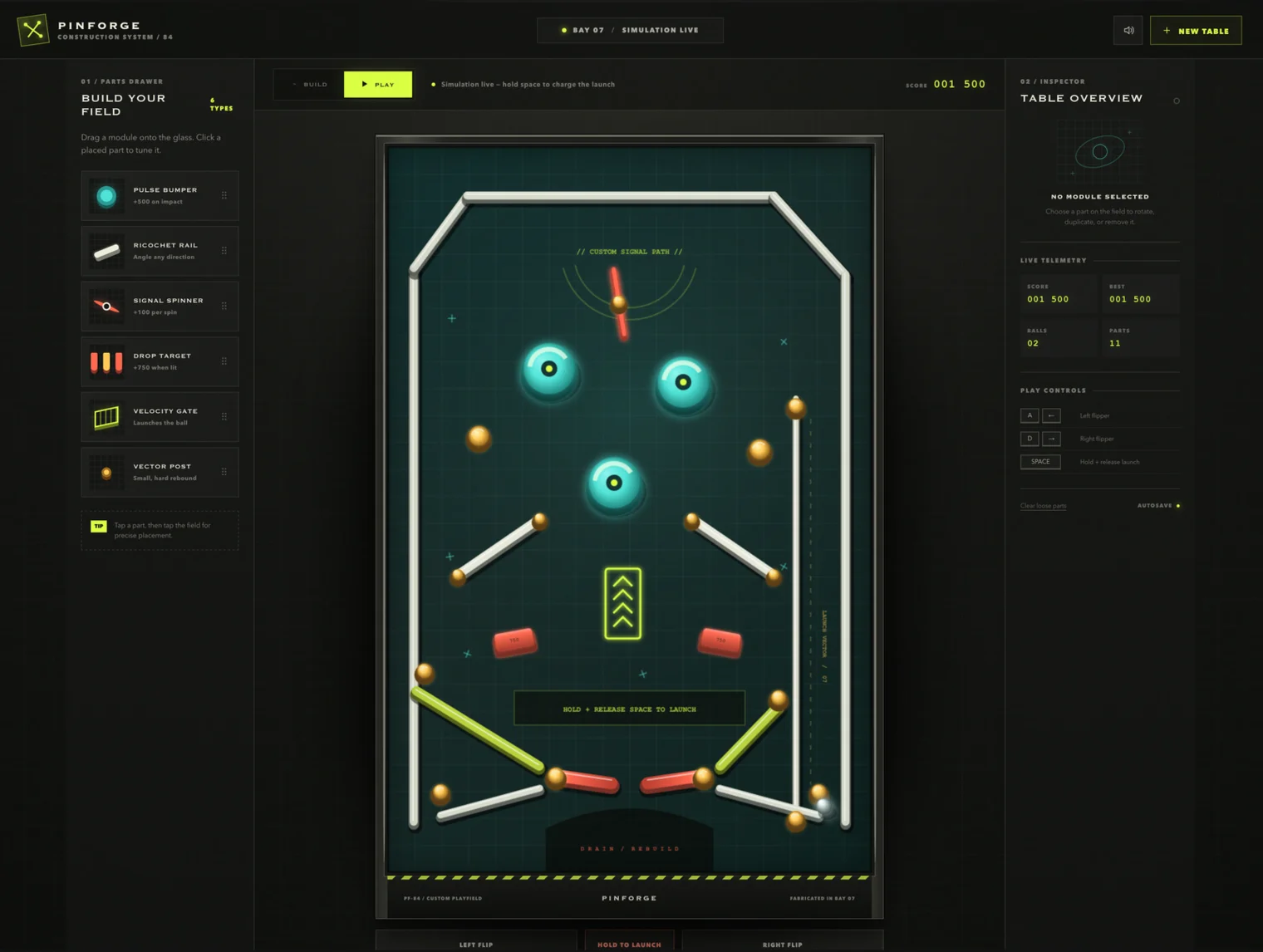
An agent will build you a bespoke tracker just as fast, on a spreadsheet, or on Postgres if you’re feeling serious. But then you own the flippers. You own the migration when you get it wrong and you own all of the bugs (just look at all of the things that are subtly and not so subtly wrong in Pinforge). We figured this out in 1982: nobody really wants to build a flipper. They just want to place one and have it work.
So here’s the shape I keep coming back to: more configurability than any tracker has ever offered, with barely any config screens. A bin of parts somebody else builds and guarantees, and an agent that arranges them to fit how your team actually works. Stock tables for everyone who just wants to play pinball on day one (most teams will start there). The interesting part is what happens when the stock table stops fitting. For the first time, adjusting it will be easy.
Nobody is there yet, us included. But it’s the bet we’re making at Shortcut, and it’s why Korey talks to trackers instead of trying to be one or live inside of one. The idea is bigger than any one product.
What I want from a tracker is what I had as a kid: a blank table on the left, a bin of parts on the right. And now I can have an expert to help me organize it the way I want.
Korey is an AI orchestration agent that works in the tools your team already runs, like Shortcut, Jira, GitHub, and Slack. It turns your ideas into a spec, breaks it down, hands each piece off to whoever picks it up next, whether that’s a teammate or an agent, and answers what’s blocked or slipping without anyone assembling a status report or having to look it up by hand.
Built by Shortcut, the project management tool where humans and agents collaborate to build great software, used by tens of thousands of teams.